
Create an audio overview
Turn the articles, papers, and documents in a commonplot notebook into a two-host audio overview, with your choice of language, length, and focus.
An audio overview turns a notebook's sources into a conversation between two hosts, so you can review a topic while commuting or doing something else.
Create an audio overview
- Open a notebook and switch the AI rail to Studio.
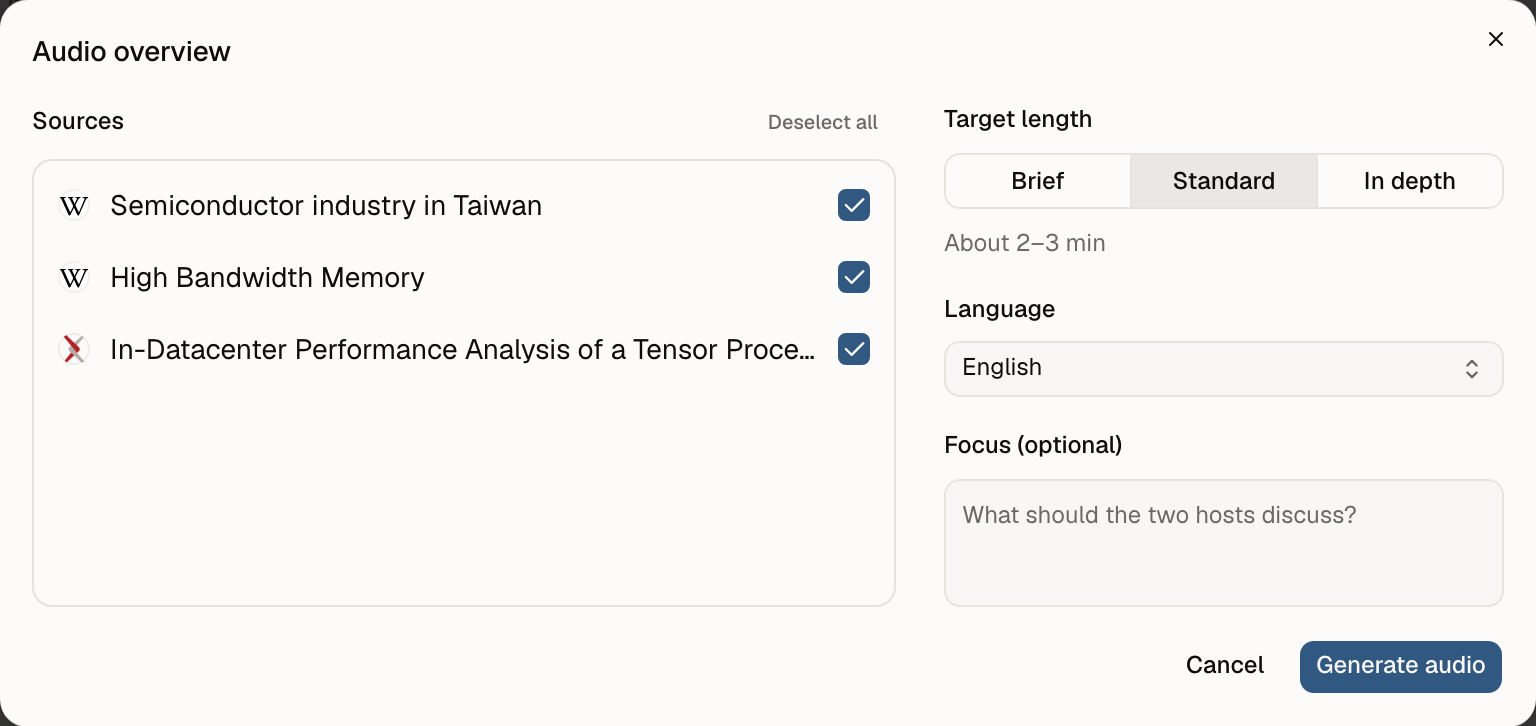
- Choose Audio overview.
- Under Sources, select the resources and documents to use. Every source starts selected, and there is no limit on how many.
- Choose settings:
- Language: English or Chinese
- Target length: Brief (about 1–2 min), Standard (about 2–3 min), or In depth (about 4–5 min)
- Focus (optional): what the two hosts should discuss
- Choose Generate audio.
You can also ask in AI chat: "Make an audio overview of this notebook."
While it generates
Generation moves through Reading the sources and writing, Producing audio, and Saving the result. The AI decides how closely to read each source for your focus, so more sources take longer and use more AI usage. Leaving the page doesn't cancel it. Up to three generations can run at once.
If a generation fails, Retry runs it again with the same sources and settings, reading the sources as they are now.
Listen and manage
Finished audio overviews appear in Studio and in the notebook's resources rail. The result page has:
- A player
- The script
- The sources used, with links to open them
Delete audio overview deletes only the audio, not its sources. Audio files count toward your storage.
AI usage
Generating an audio overview uses AI usage. If you run low, Manage AI allowance shows your plan options. See Plans and AI usage.
Last updated on
Write and publish documents
Write documents in a commonplot notebook, have AI draft and edit them, restore earlier versions, and share them by link or as a public page.
Use commonplot in ChatGPT, Claude, and Hermes
Connect commonplot to ChatGPT, Claude, or Hermes Agent to save recommended articles and papers in one click, and let AI answer from your saves, notebooks, and documents.